
September 10, 2026
If your mobile is lost or stolen, please report this as soon as possible and apply bars to prevent fraudulent activity.
You can report your SIM as lost or stolen on MyAccount and order a replacement SIM.

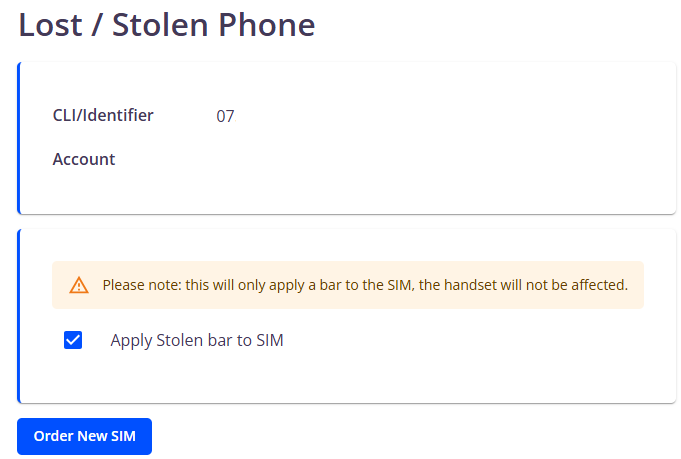
Please note, this will only bar your SIM and will not affect the handset
Click the Asset management menu option and then Mobile management. The page displays all your live mobile services.
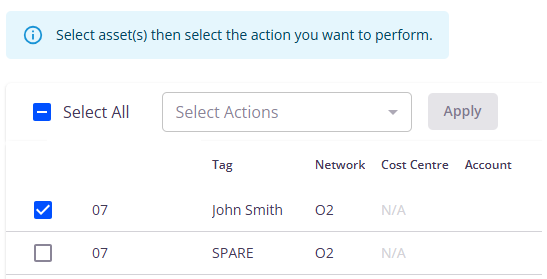
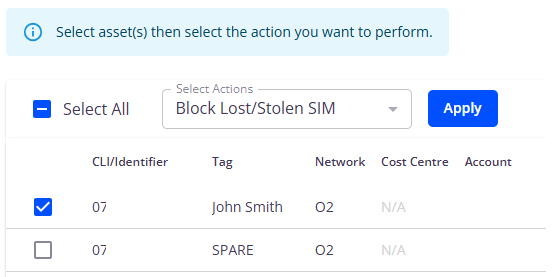
Find the mobile number you want to update and tick the box next to it – you can use filters to help with this. Select the Block lost/stolen SIM action from Select actions then click Apply.
Select the Apply stolen bar to SIM checkbox. A popup will display asking you to confirm you’re happy for the bar to be applied. Click Yes.

Bars can take up to 24 hours to fully complete.
If you want to order a new SIM, click the Order new SIM button. You can monitor the change on the History tab in Mobile management.
