
September 9, 2026
You can order a new SIM card by logging in to your MyAccount portal.
Click the Asset management menu option and then Mobile management. The page displays all your live mobile services.
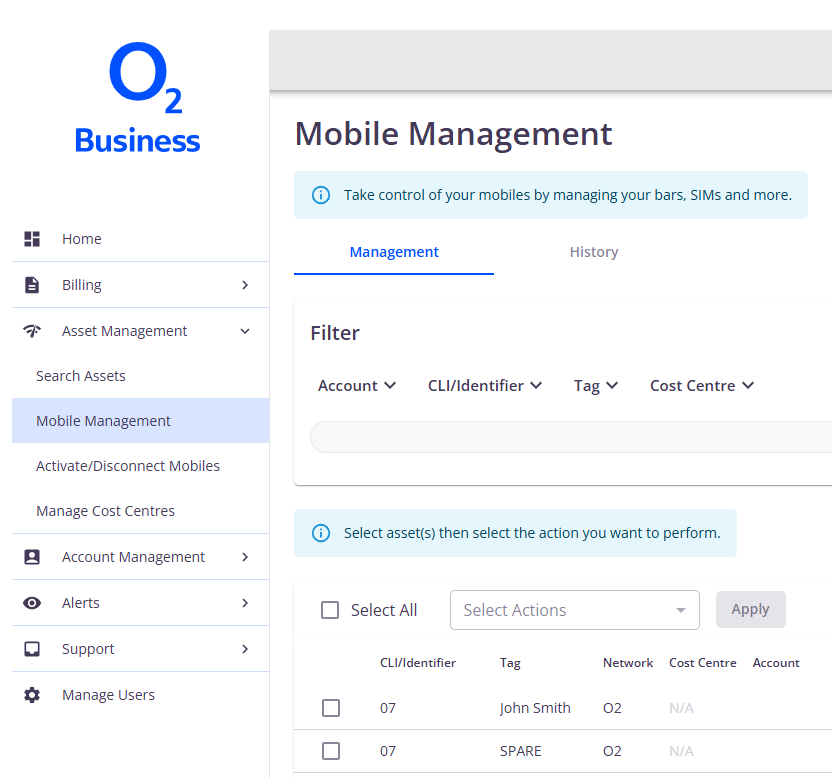
Find the asset(s) you want to update – you can use filters to help with this. Then select the relevant mobile number.
Please note, if you need to order a SIM for more than one number, you’ll need to do each one individually.
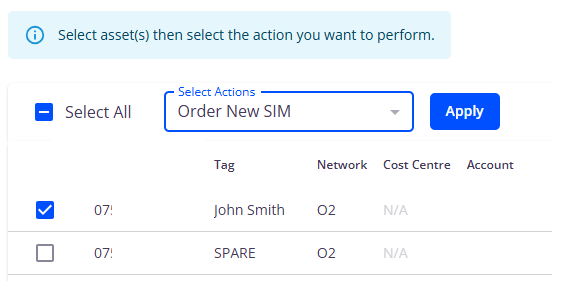
Select the Order new SIM action from Select actions then click Apply.
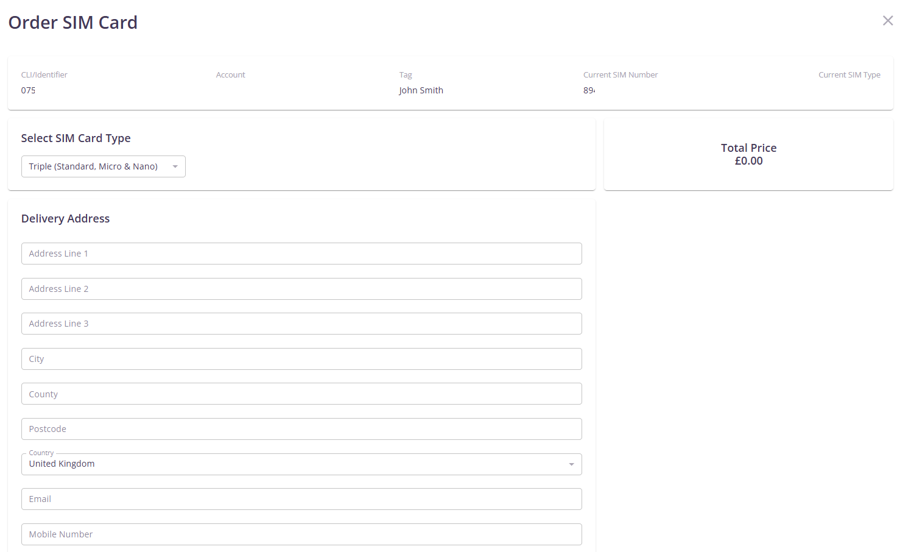
Enter the SIM card type and delivery address, then click Submit.
SIM cards are sent by Royal Mail 2nd class delivery. Please allow two-to-five days for your SIM to arrive.
